
1. Login to online banking from our homepage. See Enroll in Online Banking if you have not enrolled Online Banking.
2. Once signed into online banking click on the Transfers & Payments link.
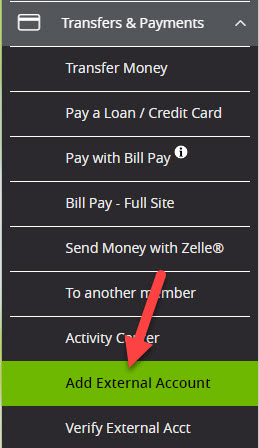
3. Click on Add External Account and enter in the account information for the external bank account.
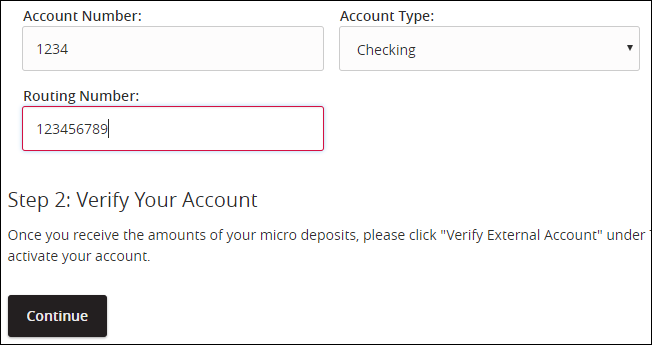
4. The system will now automatically send two small Micro Deposits amounts to the external bank account. These Micro Deposits can take 1-3 business days to show up in the external bank account.
5. Check the external account and retrieve the two amounts sent.
6. Return to GreenState online banking and click on Transfers/Deposits.
7. Click on the Verify External account sub-menu.
8. Select the account they are going to verify and enter in the small Micro Deposits amounts.
9. Once verified you will need to log out and back in. The newly added external account will be an available option on the Funds Transfer page.
1. Login to online banking from our homepage.
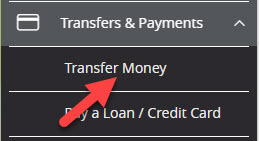
2. In the left menu, select Transfer Money or Pay a Loan / Credit Card under the Transfers & Payments heading.
3. Set up the transfer.
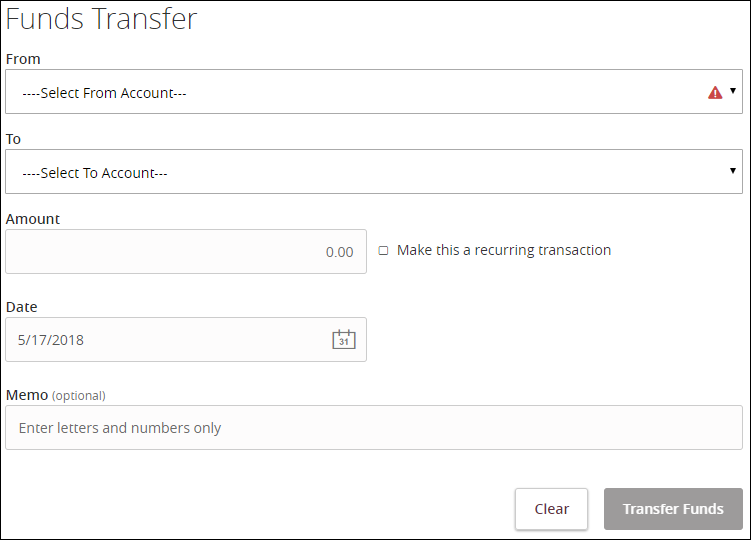
- Select the Make this a recurring transaction box if you'd like to setup an automatic payment/transfer.

- Note: When scheduling loan payments via the Funds Transfer feature if you are paying via an external account you should set an end date or cancel the series to end the recurring payments when the loan is paid.
4. Click Transfer Funds or Submit to complete.
Please Note: To pay your GreenState credit card or mortgage loan from an external account, you will first need to transfer the funds to your GreenState savings account. The online payment can then be set up to pull from your GreenState savings account to the credit card or mortgage loan.
1. You can cancel recurring transfers that you've set up in online banking at any time.
2. In the online banking main navigation menu, click on Transfers & Payments and select the Activity Center option.
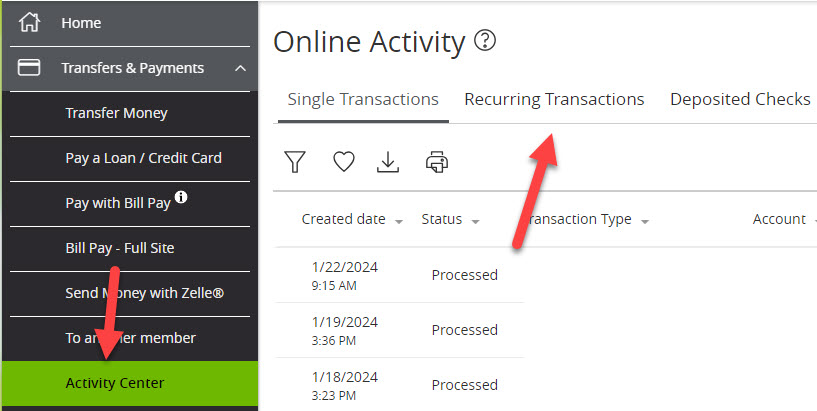
3. Select Recurring Transactions from the top three options in the Activity Center.
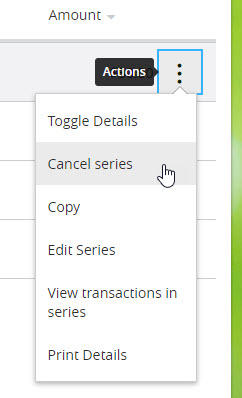
4. Click the Actions link next to the transaction you wish to alter and choose the Cancel Series option.
5. Click Confirm in the popup window to cancel the recurring transaction.