
1. Navigate to the Online Payment Center
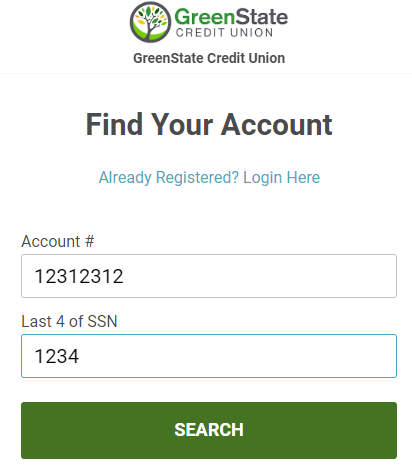
2. Enter your account number and last 4 digits of your SSN, then click SEARCH.
3. Hover over the loan you'd like to pay and click REGISTER.
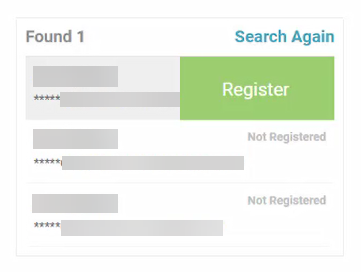
- NOTE: Once a one loan is registered in the Online Payment Center system, all other loans listed under the same account number are automatically registered too.
4. Enter the required information and click REGISTER.
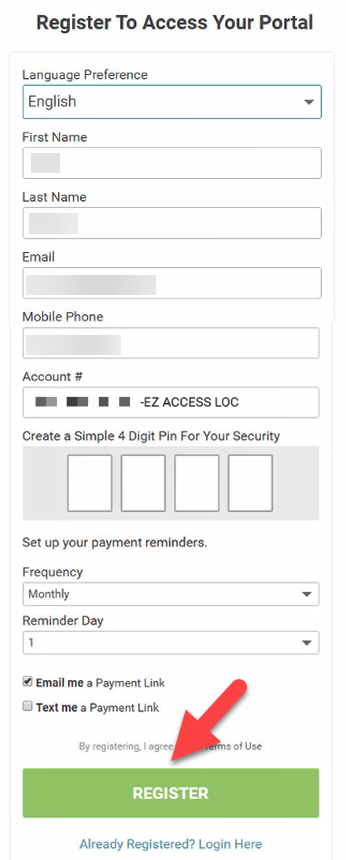
5. You are now registered for QuickPay and can begin to make payments if you'd like.
1. Navigate to the Online Payment Center
2. Select Already Registered? Login Here.
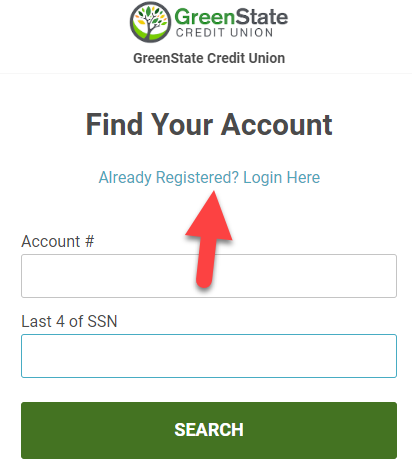
3. Enter your Email Address and 4 Digit Pin and click LOGIN.
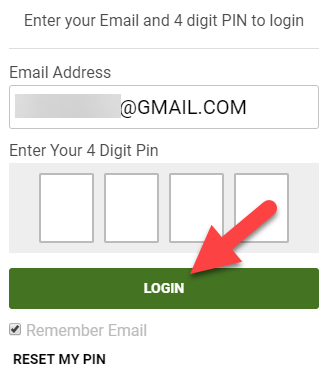
4. You will now be logged in and can make payments to your loans.
1. Login to the Online Payment Center
2. Choose the Loan you wish to pay by selecting LOGIN.
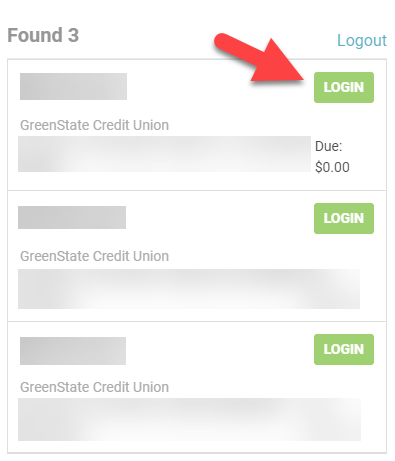
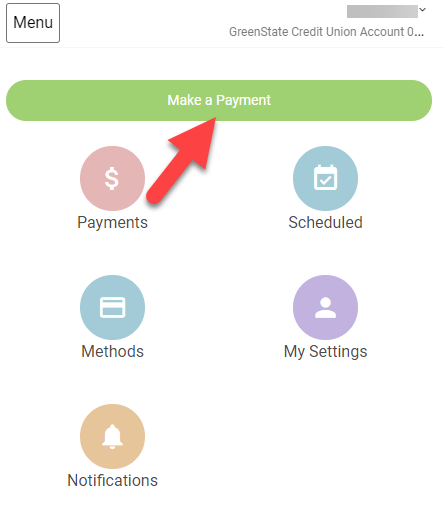
3 Select Make a Payment.
4. Enter the amount you'd like to pay, select the payment method, then select NEXT - REVIEW PAYMENT.
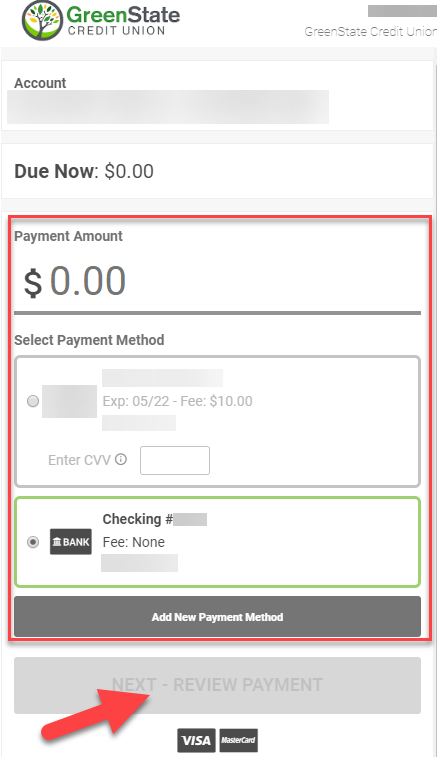
- NOTE: ACH/eCheck payments are free and Debit Card payments cost $10.00
5. Review the payment and select CONFIRM to submit.
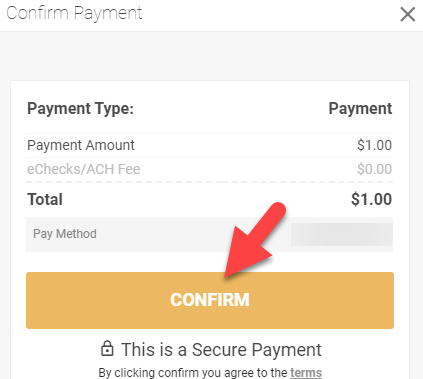
6. The payment is now submitted and will post immediately to the loan.
- NOTE: If paying via ACH/eCheck the account will be deposited within 1-2 business days (the payment will still post to the loan immediately).
1. Login to the Online Payment Center
2. Choose the Loan you wish to pay by selecting LOGIN.
3. Select Make a Payment.
4. Select MAKE RECURRING.
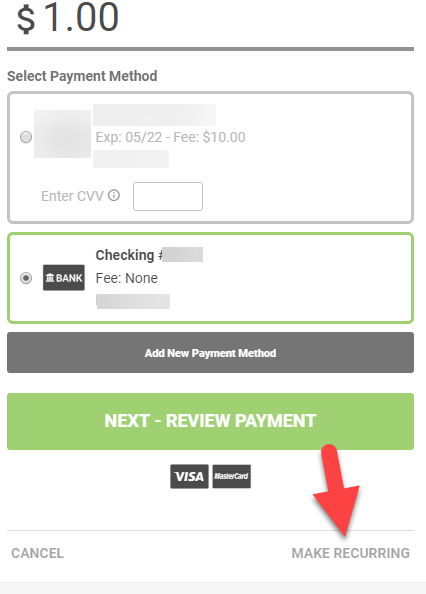
5. Enter the amount you'd like to pay, select the payment method, select a start month/day, then select CREATE SCHEDULED PAYMENT.
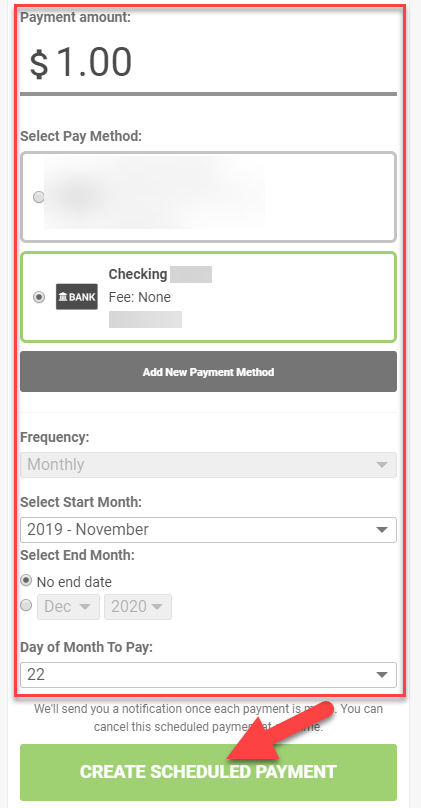
- NOTE: ACH payments are free and Debit Card payments cost $10.00
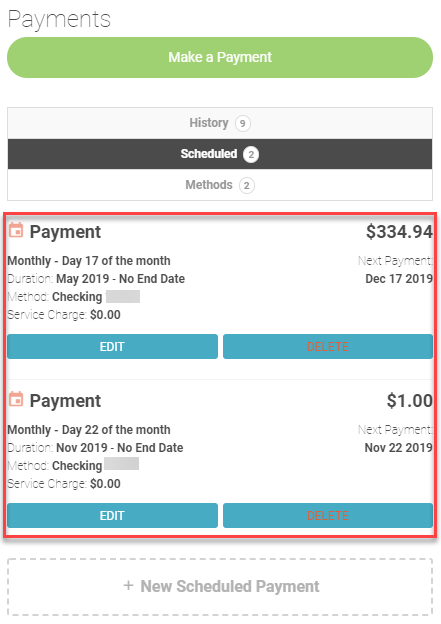
6. The recurring payment is now created and you will be taken to a page showing all recurring payments currently setup for the loan.
1. Login to the Online Payment Center
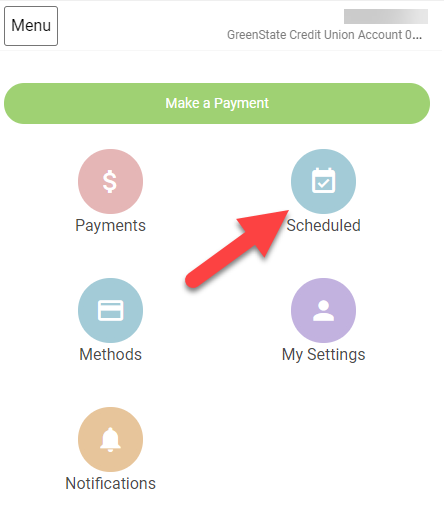
2. Select Scheduled.
3. Select DELETE for the payment you wish to cancel.
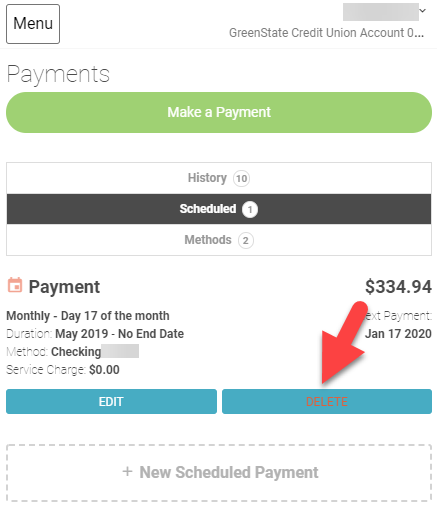
4. The payment is now cancelled.
1. Login to the Online Payment Center
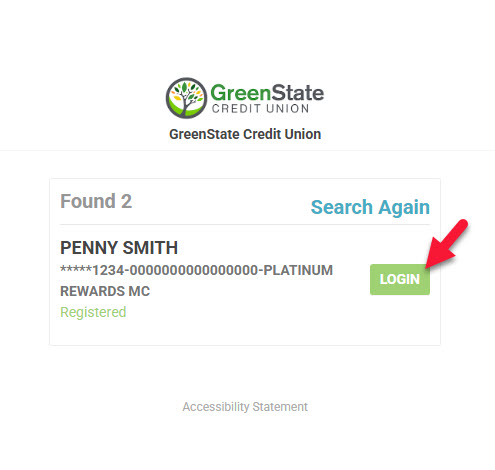
2. Choose the loan you wish to pay by selecting LOGIN
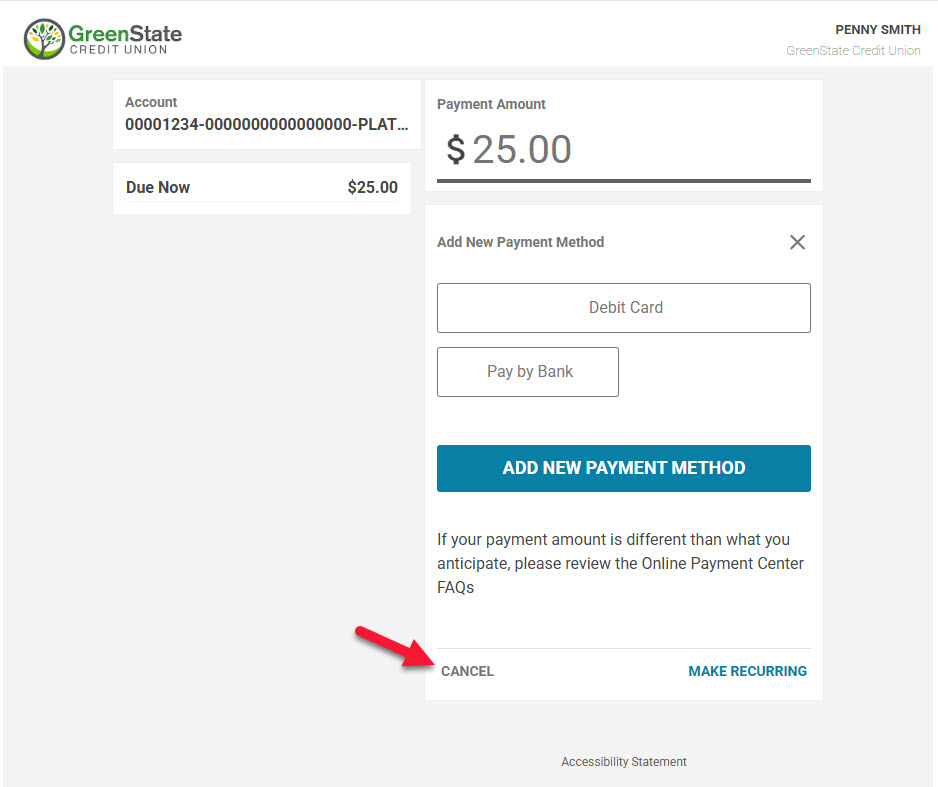
3. Select Cancel to navigate to the main screen
. 
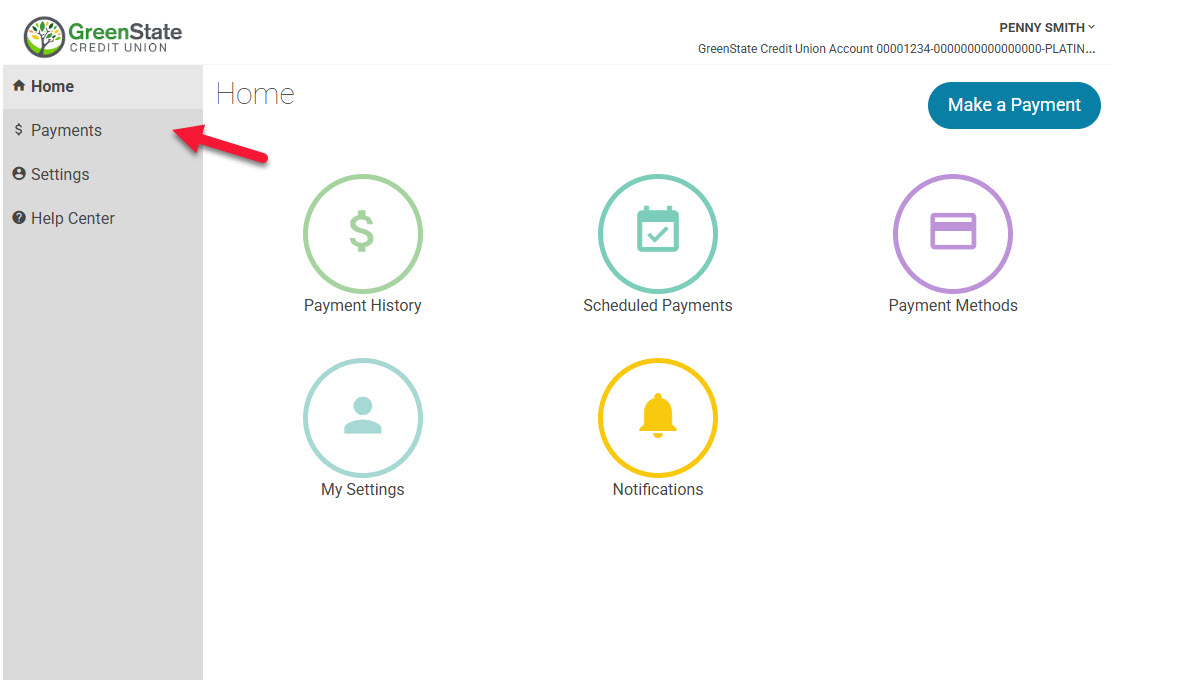
4. Select Payments
. 
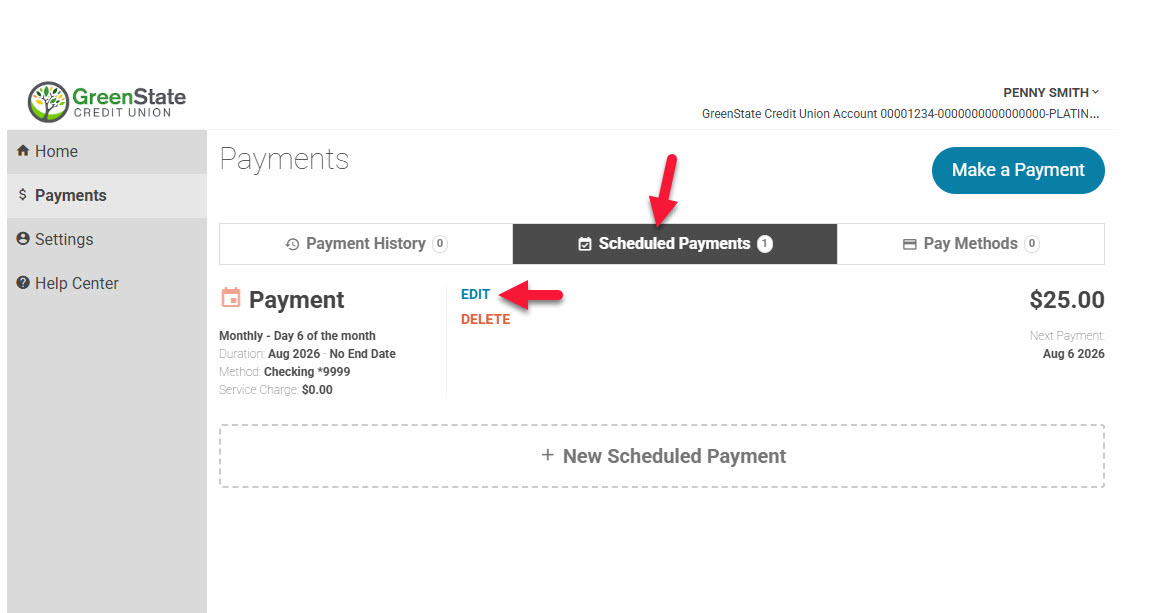
5. Select Scheduled Payments and then Edit
. 
6. Make necessary changes and select Edit Scheduled Payment
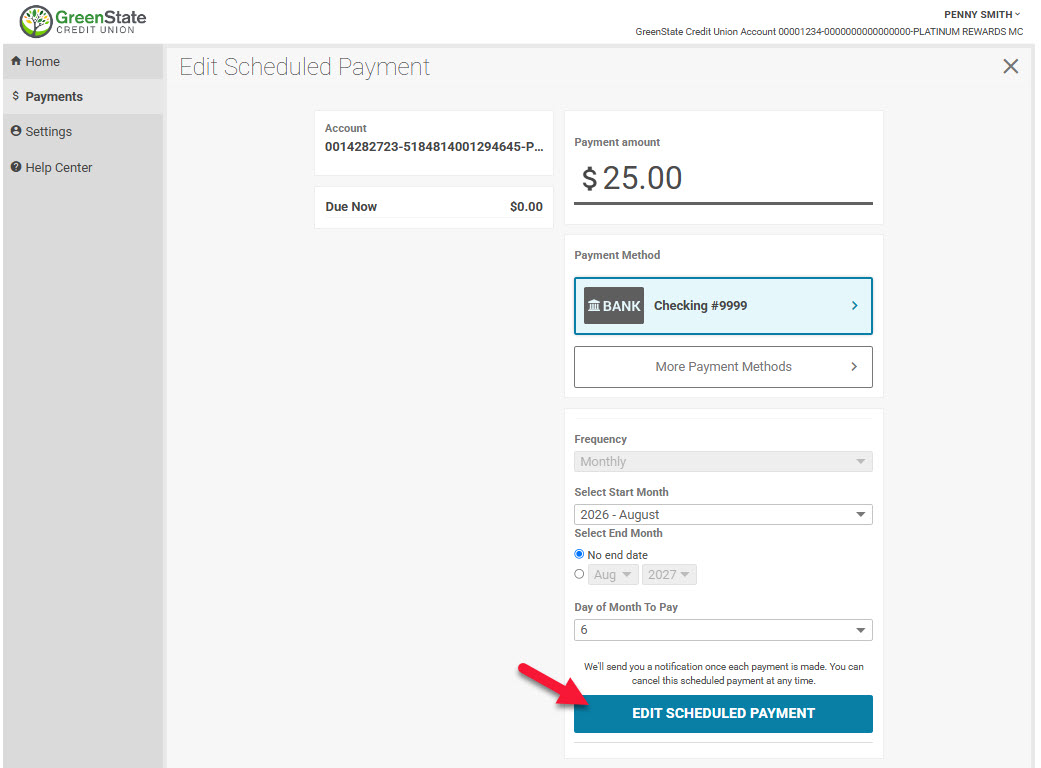
7. Your payment is now adjusted.